
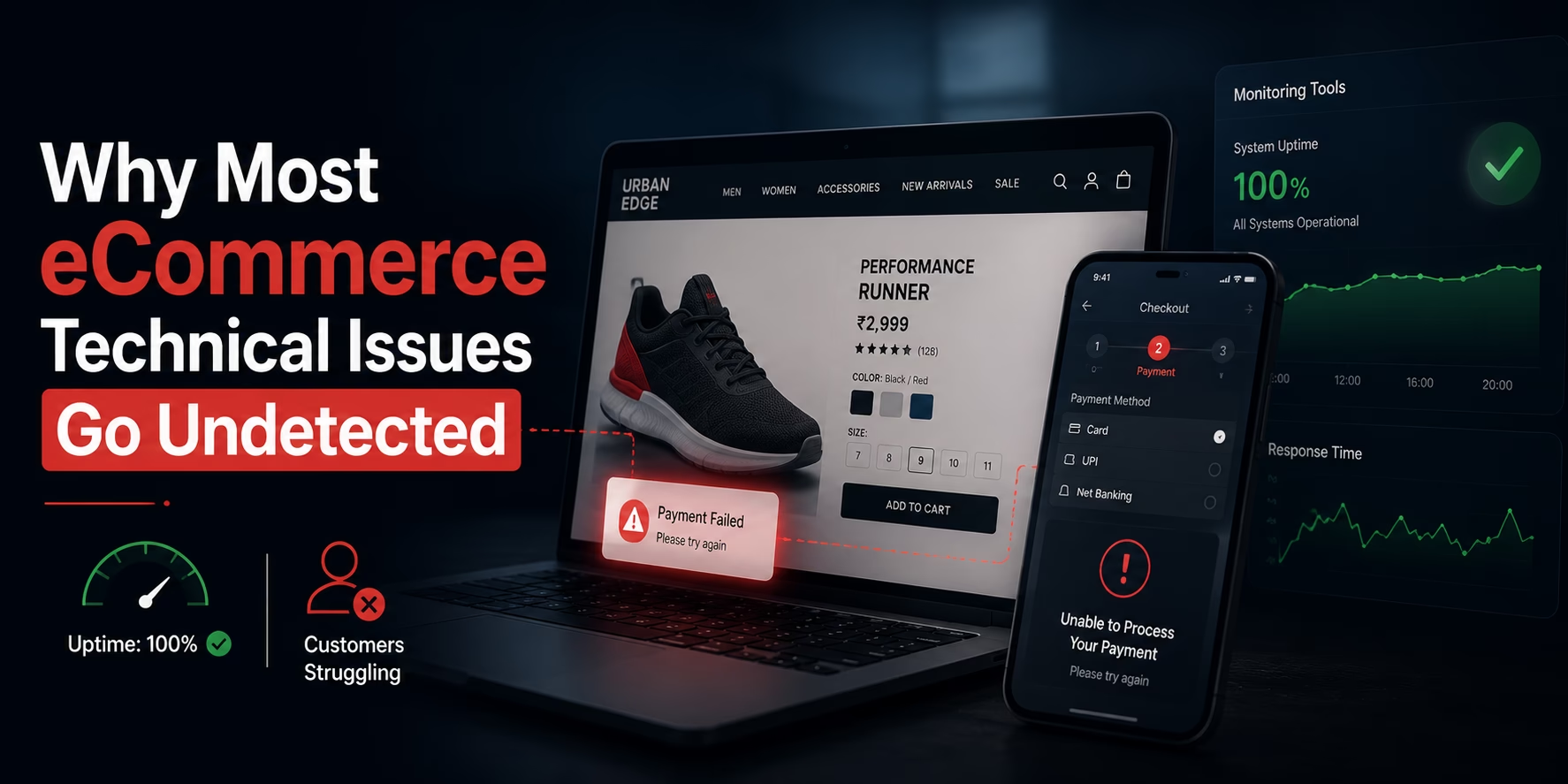
Most ecommerce technical issues do not appear in standard monitoring tools because those tools are designed to track system availability, not actual customer experience. They can confirm whether a server is running or a page is responding, but they rarely show whether a user can complete a purchase without friction.
This creates a gap that many growing businesses overlook. A store may appear stable in dashboards while customers are facing broken checkouts, pricing errors, slow interactions, or failed integrations. These are hidden technical issues ecommerce teams often discover too late, usually after conversions drop or support tickets increase.
Understanding this gap is critical. Monitoring tools answer whether the system is live. Customers care whether the system actually works.
- Why Standard Monitoring Misses Real Problems
- Where Website Monitoring Limitations Begin
- Why Ecommerce Bugs Stay Hidden
- Real-World Scenario: What Monitoring Tools Miss
- Monitoring vs Real User Experience
- Why Monitoring Alone Creates False Confidence
- Hidden Technical Issues Ecommerce Teams Overlook
- Why These Issues Matter More in Growing Ecommerce Stores
- Monitoring Coverage vs Business Impact
- How to Reduce Undetected Website Issues
- Why Ecommerce Technical Issues Need Structured Audits
- Practical Areas to Review Regularly
- Strategic Conclusion
- FAQ
Why Standard Monitoring Misses Real Problems
Standard monitoring tools are built to measure uptime, response time, and basic system health. They provide useful signals, but they do not capture how users actually interact with the site.
A page can load successfully and still fail in ways that directly impact revenue.
For example:
- A checkout button may not respond properly on mobile devices.
- A coupon code may not apply correctly.
- A payment method may fail silently.
- A product filter may stop working as expected.
From a monitoring perspective, everything looks normal. From a customer perspective, the experience is broken.
This is one of the core website monitoring limitations. Monitoring systems validate technical responses, not user journeys.
Where Website Monitoring Limitations Begin
Website monitoring limitations usually appear when tools focus only on infrastructure and ignore behavior.
A dashboard might show all systems operational, but it does not reflect how the platform behaves across different users, devices, and real-world scenarios.
Common blind spots include:
- Front-end bugs that appear only on specific browsers or devices
- JavaScript errors that block actions without breaking the page
- Integration delays with ERP, CRM, or payment systems
- Promotion logic failures under real traffic conditions
- Search and filter issues that reduce usability without triggering alerts
These are classic examples of ecommerce bugs not detected by monitoring tools. They do not crash the system, but they quietly affect conversions and user experience.
Why Ecommerce Bugs Stay Hidden
Many ecommerce bugs stay hidden because they are conditional. They do not appear consistently and often depend on user behavior, session data, or timing.
For example:
- Checkout may fail only for logged-in users
- Pricing may break only for certain regions
- Issues may appear only after cache refresh
- Errors may occur only during peak traffic
These problems are difficult to detect because monitoring tools operate in controlled conditions, not real-world usage.
This is where ecommerce debugging challenges increase. Teams are not dealing with visible failures, but with inconsistent and hard-to-reproduce issues that impact real users.
Real-World Scenario: What Monitoring Tools Miss
To understand the gap more clearly, consider these real situations:
- A payment gateway fails only for specific card types
- A mobile checkout button becomes unclickable due to a script conflict
- Inventory appears available due to delayed sync, but checkout fails
- Coupon logic breaks during a high-traffic sale
- Filters stop working after cache invalidation
- The server is running
- Pages are loading
- APIs are responding
Monitoring tools show everything as normal.
But users are unable to complete transactions.
This is where undetected website issues exist — between system health and actual user experience.
Monitoring vs Real User Experience
The difference between monitoring vs real user issues is critical.
Monitoring tells you if the system is available. Real user insights tell you if the system is usable.
| Monitoring Tools | Real User Experience |
|---|---|
| Tracks uptime and server health | Tracks actual customer journey |
| Confirms page response | Validates usability and interaction |
| Alerts on system failure | Reveals friction and drop-offs |
| Works in controlled conditions | Reflects real-world behavior |
| Focuses on technical metrics | Focuses on user actions and outcomes |
Monitoring tells you if the system is available. Real user insights tell you if the system is usable.
Both are necessary, but relying on one alone creates blind spots.
Why Monitoring Alone Creates False Confidence
One of the biggest risks with standard monitoring is false confidence.
When dashboards show everything as “healthy,” teams assume there are no problems. But monitoring tools measure system signals, not business impact.
This leads to situations where:
- Conversion rates drop without clear alerts
- Customers abandon carts due to unseen friction
- Support tickets increase without obvious errors
- Revenue declines without system failure
These are not outages. They experience failures.
This is why hidden technical issues ecommerce teams deal with often remain unnoticed until they affect business performance.
Hidden Technical Issues Ecommerce Teams Overlook
As ecommerce platforms grow, hidden issues become more complex and harder to detect.
Common examples include:
- Checkout issues affecting specific user segments
- Inventory mismatches due to delayed integrations
- Tax or pricing errors in certain regions
- Cache-related inconsistencies
- Third-party script or plugin conflicts
These issues rarely break the system completely, but they introduce friction that directly affects conversions.
Over time, they create technical audit gaps that limit growth and stability.
Why These Issues Matter More in Growing Ecommerce Stores
As a store scales, complexity increases across every layer:
- More products
- More integrations
- More customer segments
- More business rules
With this growth, even small issues can have a larger impact.
For example:
- A minor checkout delay can reduce conversion rates significantly
- A pricing error can affect multiple transactions
- A sync delay can cause order or inventory failures
These problems are rarely visible in monitoring tools, but they directly affect revenue and customer trust.
This is why growing stores must move beyond basic monitoring and adopt a more complete visibility approach.
Monitoring Coverage vs Business Impact
| Issue Type | Detected by Monitoring | Often Missed | Business Impact |
|---|---|---|---|
| Server outage | Yes | No | Complete downtime |
| Checkout bug (mobile) | No | Yes | Lost conversions |
| Pricing mismatch | No | Yes | Revenue loss |
| ERP sync delay | Sometimes | Often | Order failures |
| Search/filter issues | No | Yes | Lower engagement |
This clearly shows where monitoring tools fall short.
How to Reduce Undetected Website Issues
Reducing undetected website issues requires a structured approach. Monitoring alone is not enough.
To reduce ecommerce debugging challenges, teams should:
- Use real user monitoring to track actual behavior
- Regularly test checkout, login, and payment flows
- Validate pricing, promotions, and tax rules under different scenarios
- Monitor integration performance across systems
- Analyze conversion drop-offs for hidden issues
- Conduct periodic technical audits
This approach shifts the focus from system health to customer experience.
Why Ecommerce Technical Issues Need Structured Audits
Even with monitoring in place, many ecommerce technical issues remain undetected because they exist within user journeys and business logic.
These issues often involve:
- Checkout processes
- Integration behavior
- Pricing and promotions
- Edge-case scenarios
By the time they are discovered, they have already impacted revenue.
A structured audit helps uncover these gaps by evaluating the platform the way customers actually use it.
For businesses facing ongoing website monitoring limitations, investing in eCommerce Website Technical Audit Services helps identify hidden issues, close technical audit gaps, and improve overall platform performance.
Practical Areas to Review Regularly
To detect issues earlier, focus on:
- Checkout and payment journeys
- Mobile usability across devices
- Search, filter, and navigation behavior
- Inventory and ERP synchronization
- Pricing, tax, and promotion logic
- Third-party integrations and plugins
These areas often reveal problems before they become critical.
Strategic Conclusion
Most ecommerce technical issues do not appear in standard monitoring tools because those tools focus on system health, not real user experience.
This creates a gap where:
- Monitoring shows stability
- Customers experience friction
- Businesses lose revenue
To close this gap, businesses must combine monitoring with real user insights and structured audits.
Only then can they identify and fix the hidden technical issues ecommerce platforms carry without obvious warning signs.
FAQ
Why do ecommerce technical issues stay hidden in monitoring tools?
Because monitoring tools focus on uptime and system performance, not user behavior. Many issues affect functionality without triggering alerts.
What are the most common ecommerce bugs not detected?
Checkout failures, mobile usability issues, pricing mismatches, integration delays, and filter/search problems are commonly missed.
What is the difference between monitoring vs real user issues?
Monitoring tracks system performance. Real user issues reflect actual customer experience during browsing and checkout.
Why are technical audit gaps risky?
They allow small issues to grow unnoticed, leading to lower conversions, poor user experience, and revenue loss.
How often should ecommerce stores conduct technical audits?
Every 3 to 6 months, or before major updates, campaigns, or integrations.