
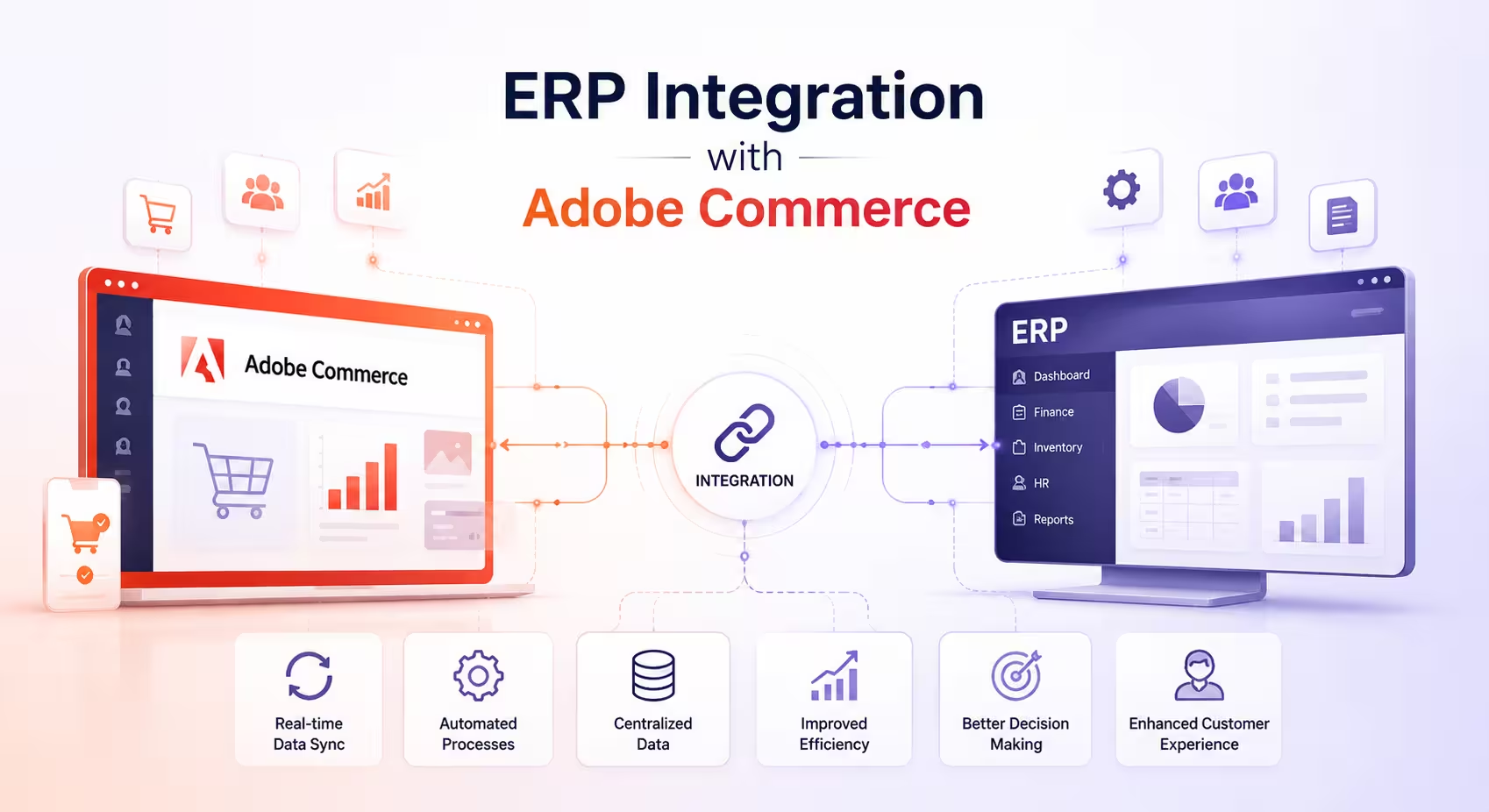
Connecting your Adobe Commerce store with an ERP system is not simply a technical decision. As businesses scale, the need for reliable ERP system integration becomes critical, especially when managing order flow, inventory synchronization, and financial data across multiple platforms. It directly affects how smoothly your business runs as order volume increases and operations expand.
In the early stages, many businesses manage operations through manual updates and spreadsheets. Orders are processed in one system, inventory is tracked in another, and financial data is handled separately. While this setup may work for a limited period, it begins to break down as scale increases. Teams spend more time correcting data than acting on it, inventory mismatches become frequent, and order delays start affecting customer experience.
Adobe Commerce ERP integration addresses these challenges by creating a consistent flow of data between systems. When implemented correctly, it ensures that orders, inventory, and financial information remain aligned, reducing manual effort and improving overall efficiency.
- Why Adobe Commerce ERP Integration Matters Today
- Core Architecture Options for Adobe Commerce ERP Integration
- Architecture Comparison
- Data Mapping: The Foundation of a Stable Integration
- Common Challenges in ERP Integration
- Best Practices from Real Implementations
- ERP-Specific Considerations
- Implementation Roadmap for Adobe Commerce ERP Integration
- Cost Considerations and ROI
- Measuring Success
- Future-Proofing Your ERP Integration
- Final Thoughts
- Frequently Asked Questions
Why Adobe Commerce ERP Integration Matters Today
Modern eCommerce operations are no longer limited to a single system. A typical setup involves Adobe Commerce managing the storefront, while ERP systems handle inventory, procurement, and financial processes. Without proper integration, these systems operate in isolation, forcing teams to manually bridge the gaps.
This often leads to inconsistencies that are difficult to manage at scale. Inventory levels may not reflect actual stock, order processing takes longer due to repeated validations, and finance teams spend additional time reconciling data across platforms. These inefficiencies not only slow down operations but also impact customer satisfaction.
When Adobe Commerce is properly integrated with an ERP system, these issues are significantly reduced. A well-planned Adobe Commerce ERP system integration ensures that data flows smoothly between systems without repeated manual intervention.
Orders flow directly into the ERP for fulfillment, inventory updates are reflected back into the store with minimal delay, and customer data remains consistent across systems. This allows businesses to operate with greater accuracy and speed, without relying on constant manual intervention.
This is why many growing brands invest in eCommerce ERP integration to create a connected system where data moves without delays or manual dependency.
Core Architecture Options for Adobe Commerce ERP Integration
The effectiveness of your ERP integration depends largely on the architecture you choose. This is especially true when planning ERP integration for Adobe Commerce, where system design directly impacts performance and scalability. While there are multiple ways to connect systems, most implementations follow three common approaches, each suited to different levels of complexity and scale.
Point-to-Point Integration
Point-to-point integration connects Adobe Commerce directly with the ERP using APIs or built-in connectors. This approach is often chosen for its simplicity and speed of implementation. For businesses with limited operational complexity, it can provide a quick way to automate basic data exchange.
However, as the business grows and additional systems are introduced, this approach becomes harder to maintain. Each new connection increases dependency, making the system more fragile and difficult to scale.
Middleware-Based Integration
Middleware integration introduces an intermediate layer between Adobe Commerce and the ERP. Platforms such as MuleSoft or Dell Boomi are commonly used for this purpose. Middleware plays a key role in ERP middleware integration by acting as a control layer for data transformation and synchronization.
A well-defined Adobe Commerce integration architecture ensures that systems remain stable, scalable, and capable of handling increasing transaction volumes.
This approach provides better control over how data is transformed, validated, and transferred between systems. It also allows businesses to connect additional platforms without disrupting existing integrations. For growing organizations, middleware offers a more stable and scalable solution compared to direct connections.
API-Based Integration
API-based integration relies on structured communication between systems using defined endpoints. In this setup, Adobe Commerce and the ERP exchange data in a controlled and predictable manner, making it suitable for modern and multi-system environments. API integration for ERP systems enables structured communication, making it easier to manage real-time data exchange and system performance
While this approach offers flexibility, it requires careful planning. API limits, data consistency, and error handling must all be managed properly to ensure smooth operation. It is also important to note that Adobe Commerce integration services are a backend process focused on data exchange and should not be confused with frontend architectural decisions.
Architecture Comparison
| Approach | Suitable For | Key Benefit | Key Limitation |
|---|---|---|---|
| Point-to-Point | Small, simple setups | Quick implementation | Difficult to scale |
| Middleware | Growing businesses | Better control and flexibility | Higher setup effort |
| API-Based | Modern environments | Structured and scalable | Requires strong planning |
Data Mapping: The Foundation of a Stable Integration
Regardless of the architecture used, data mapping remains one of the most critical parts of ERP integration. In any Adobe Commerce ERP system integration, accurate data mapping ensures that both systems interpret information correctly.
Adobe Commerce and ERP systems store and interpret data differently, and without proper alignment, integration issues will arise even if the connection itself is technically sound. Accurate ERP data synchronization depends on how well data mapping is defined between Adobe Commerce and the ERP system.
For example, product data must match across systems in terms of SKUs, attributes, and pricing structures. Order data needs to carry complete information, including taxes, shipping details, and payment status. Inventory must accurately reflect stock across multiple locations, and customer data must remain consistent without duplication.
In more complex ERP systems such as SAP, this process becomes even more important due to stricter data structures and dependencies. Careful planning at this stage prevents downstream issues and ensures that both systems interpret data correctly.
Common Challenges in ERP Integration
Many ERP integration challenges arise due to differences in system structure, data formats, and synchronization requirements. ERP integration projects often face similar challenges, especially when the implementation is rushed or not planned thoroughly.
One of the key decisions involves choosing between real-time and batch data synchronization. While real-time updates provide immediate visibility, they can place additional load on ERP systems. In practice, a balanced approach works better, where critical data such as orders and inventory is updated in real time, while less critical information is processed in batches.
Data conflicts are another common issue. Duplicate records or inconsistent data can disrupt operations if not managed properly. This can be addressed by using unique identifiers, cleaning existing data before integration, and defining a clear source of truth for each data type.
System reliability is also a concern. API failures or downtime can interrupt data flow, making it important to include retry mechanisms, queue-based processing, and monitoring tools as part of the integration design. At the same time, security cannot be overlooked, and all data exchanges should be protected through secure authentication and encryption.
Best Practices from Real Implementations
Experience from multiple Adobe Commerce ERP implementations shows that a phased and structured approach leads to better results. Instead of attempting to integrate everything at once, it is more effective to begin with core processes such as order flow and inventory synchronization. Once these are stable, additional integrations can be added gradually.
Regular monitoring helps identify issues early, while testing under real-world conditions ensures that the system performs reliably during peak periods. Most importantly, integration should be designed with future growth in mind so that it continues to support the business as it scales.
ERP-Specific Considerations
Different ERP systems bring their own requirements, which influence how integration should be handled.
SAP, for instance, often requires middleware due to its structured nature and complexity, making it more suitable for large enterprises. In contrast, platforms like NetSuite and QuickBooks are easier to integrate and offer faster implementation, which makes them a good fit for mid-sized businesses. Microsoft Dynamics provides strong support for B2B operations and integrates well with cloud-based environments, making it suitable for organizations with more advanced workflows.
Implementation Roadmap for Adobe Commerce ERP Integration
A structured roadmap helps reduce risks and ensures that the integration is implemented smoothly. The process typically begins with a discovery phase, where existing systems and data structures are analyzed. This is followed by design, where the integration approach and workflows are planned.
Development focuses on building the integration, while testing validates the setup under real conditions. Finally, the go-live phase involves rolling out the integration in a controlled manner to minimize disruption to ongoing operations.
Cost Considerations and ROI
The cost of ERP integration with Adobe Commerce depends on factors such as system complexity, tools used, and the scope of implementation. A well-scoped ERP integration for Adobe Commerce helps control costs while ensuring long-term operational efficiency. This usually includes development effort, middleware tools if required, and ongoing maintenance. The cost of ERP implementation is influenced by integration complexity, system dependencies, and long-term scalability requirements.
While the initial investment can be significant, the returns are typically realized through improved operational efficiency. Businesses benefit from reduced manual work, faster order processing, and more accurate inventory management, all of which contribute to better overall performance.
Measuring Success
Once the integration is live, it is important to track performance through clear metrics. These include order processing time, inventory accuracy, synchronization success rates, and the reduction in manual effort. Monitoring these indicators helps ensure that the integration continues to deliver value over time.
Future-Proofing Your ERP Integration
As businesses grow, their systems and requirements evolve. An effective ERP integration should be able to support additional systems, handle increased order volumes, and adapt to changes without requiring a complete rebuild.
Planning for flexibility from the beginning ensures that your integration remains stable and relevant as your business continues to scale.
Final Thoughts
If you are planning to implement or improve your integration setup, it is important to choose an approach that aligns with your business processes and long-term goals. You can explore our Adobe Commerce ERP Integration Services to understand how integration architecture, system selection, and implementation planning can be structured based on your operational needs.
Frequently Asked Questions
What is Adobe Commerce ERP integration?
Adobe Commerce ERP integration is the process of connecting your Adobe Commerce store with an ERP system so that data such as orders, inventory, customers, and financial records can move between both systems automatically. This reduces manual work and ensures that business operations remain consistent across platforms.
How does ERP integration improve eCommerce operations and data synchronization?
ERP integration improves operations by removing the need for manual data entry and reducing errors. Orders are processed faster, inventory stays accurate, and financial data becomes easier to manage. As a result, teams can focus more on operations and less on correcting data issues.
Which ERP systems can be integrated with Adobe Commerce?
Adobe Commerce can be integrated with most modern ERP systems, including SAP, NetSuite, QuickBooks, and Microsoft Dynamics. The approach may vary depending on the ERP system’s structure, API availability, and business requirements.
What is the best integration approach for growing businesses?
For most growing businesses, middleware-based integration is often the most practical option. It provides better control over data flow, makes it easier to handle errors, and allows additional systems to be added without major changes to the existing setup.
Is real-time integration always required?
Real-time integration is useful for critical data such as orders and inventory, but it is not always necessary for every type of data. In many cases, a combination of real- time and batch processing provides a more stable and efficient solution.
How long does Adobe Commerce ERP integration take?
The timeline depends on the complexity of your systems and requirements. A basic integration can take a few weeks, while more complex implementations involving multiple systems and custom workflows may take several months.
What are the main ERP integration challenges in eCommerce systems?
Common challenges include data mapping issues, handling real-time data updates, managing system errors, and ensuring data consistency across platforms. Proper planning and testing help reduce these risks.
How do you measure the success of ERP integration?
Success is typically measured by improvements in order processing time, inventory accuracy, reduction in manual work, and overall system reliability. These indicators show whether the integration is delivering operational value.